
XS MATERIAL PRESETS
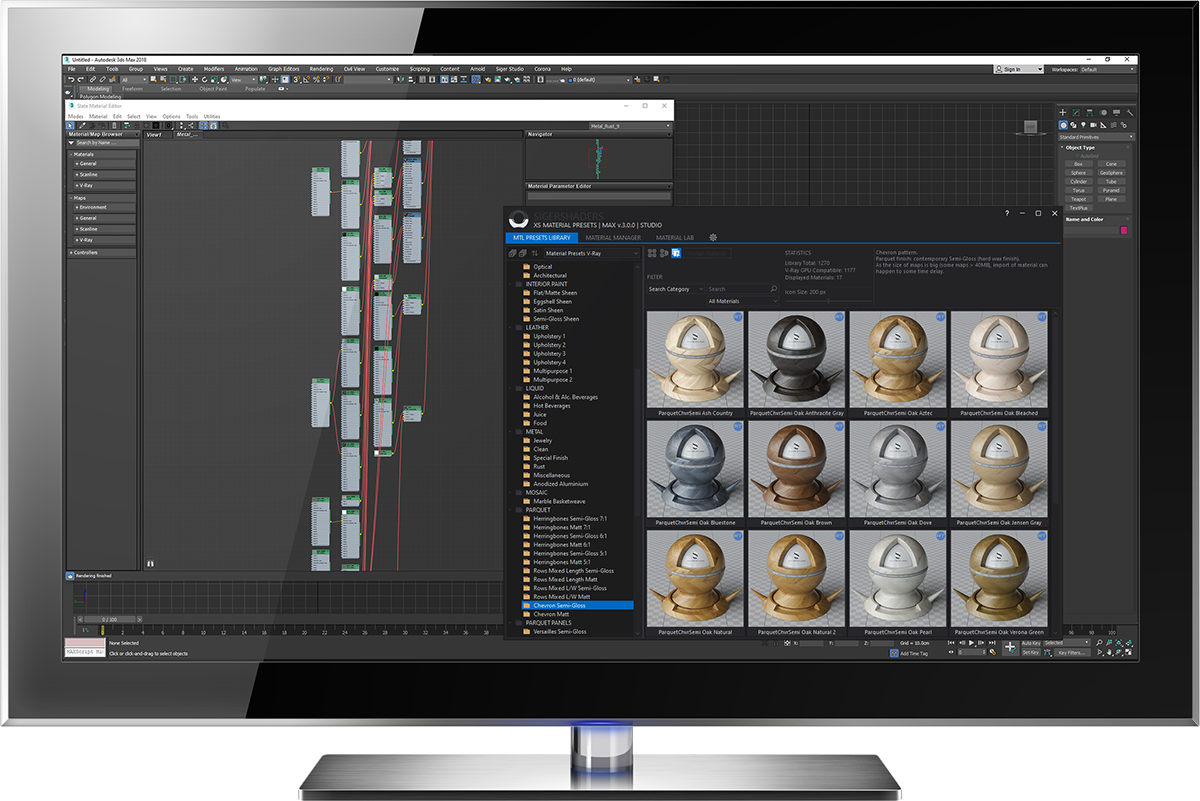
A comprehensive material management solution for Autodesk 3ds Max, combining extensive material preset libraries, powerful organization tools, and an integrated environment for creating and testing materials. Designed to streamline workflows and make everyday material management faster and more efficient.
Key Features
Material Presets
Organized Preset Libraries
Direct 3ds Max Integration
Custom Library Management
Multiple Material Previews
Fast Search & Filtering
Material Presets Library
The built-in material libraries provide an extensive collection of ready-to-use presets for supported rendering engines, covering a wide range of materials and surfaces.
Each library is organized into categories and subcategories for convenient browsing. High-resolution texture maps, including 4K and higher resolutions, provide the detail needed for demanding visualization projects.
Available libraries:
-
V-Ray – Material presets for V-Ray.
-
Corona Renderer – Material presets for Corona Renderer.
-
Redshift – Material presets for Redshift.
Pre-built material libraries are included in the Professional and Studio editions. Each Professional edition includes the library for its corresponding rendering engine, while the Studio edition includes all supported libraries.
Material Management
Build and maintain your own material libraries directly within Autodesk 3ds Max. The integrated MATERIALS module provides a flexible environment for collecting, organizing, previewing, and reusing materials across your projects.
Create multiple libraries with custom categories and nested folders. Add materials directly from the Compact or Slate Material Editor, or from selected scene objects, and organize them according to your preferred workflow.
Flexible Organization
Manage independent material libraries with hierarchical categories, virtual folders, and customizable folder icons. Keep even large collections structured and accessible.
Material Previews
Generate material previews using integrated rendering scenes or attach additional reference images. Examine materials visually before selecting or reusing them.
Search and Reuse
Locate materials using search and filtering tools, then transfer them directly to the Material Editor or assign them to objects in your 3ds Max scene.
Material Lab
Test and evaluate materials in a dedicated environment using professionally prepared rendering scenes. Material Lab provides a consistent way to examine surface properties, textures, and material behavior under different conditions. Choose from built-in scenes designed for supported rendering engines, with different scene types and physical dimensions. Work with centimeters or inches and use Real-World Scale mapping when required.
Built-in Lab Scenes
Use ready-made testing scenes for V-Ray, Corona Renderer, and Redshift. Each scene provides a prepared environment for evaluating materials without building a new test setup from scratch.
Custom Scenes
Extend Material Lab with your own 3ds Max scenes. Organize frequently used scenes through the integrated Bookmarks Manager and designate a custom scene for material preview rendering.
Physical Scale
Evaluate materials using scene dimensions in centimeters or inches, with support for Real-World Scale mapping to maintain consistent texture proportions.
Texture Management
Organize and access your texture collections through the integrated TEXTURES module. Build independent libraries for projects, material types, or specialized workflows without moving or duplicating your original texture files.
The virtual library system maintains references to texture files and cached thumbnails, allowing you to manage large collections while keeping the original files in their existing locations.
Virtual Texture Libraries
Create unlimited independent libraries and organize textures into categories and folders. Build collections around individual projects, surface types, or specific production requirements.
Visual Browsing & Search
Browse texture collections using generated thumbnails, search tools, and filtering options. Locate the files you need without manually navigating through directories.
3ds Max Integration
Use textures from your libraries directly within 3ds Max. Assign or replace texture files in supported map loaders in the Compact and Slate Material Editors.
Editions & Licensing
Choose the XSMP edition that best fits your workflow, from managing personal material collections to working with complete preset libraries across multiple rendering engines.
REPO
Essential material and texture management
Organize and manage your own material and texture libraries within 3ds Max. Includes the Materials and Textures modules, along with Material Lab scenes for supported rendering engines.
PROFESSIONAL
Complete tools for a single rendering engine
Includes all XSMP management tools, Material Lab, and a comprehensive library of ready-to-use material presets for your chosen rendering engine: V-Ray, Corona Renderer, or Redshift.
STUDIO
Complete flexibility across supported engines
Includes the full XSMP toolset, Material Lab scenes, and pre-built material preset libraries for all supported rendering engines. Designed for workflows that involve multiple renderers.